
Reservations
Find clubhouse and pavilion booking details, reservation requirements, and ETrak access for eligible community events.
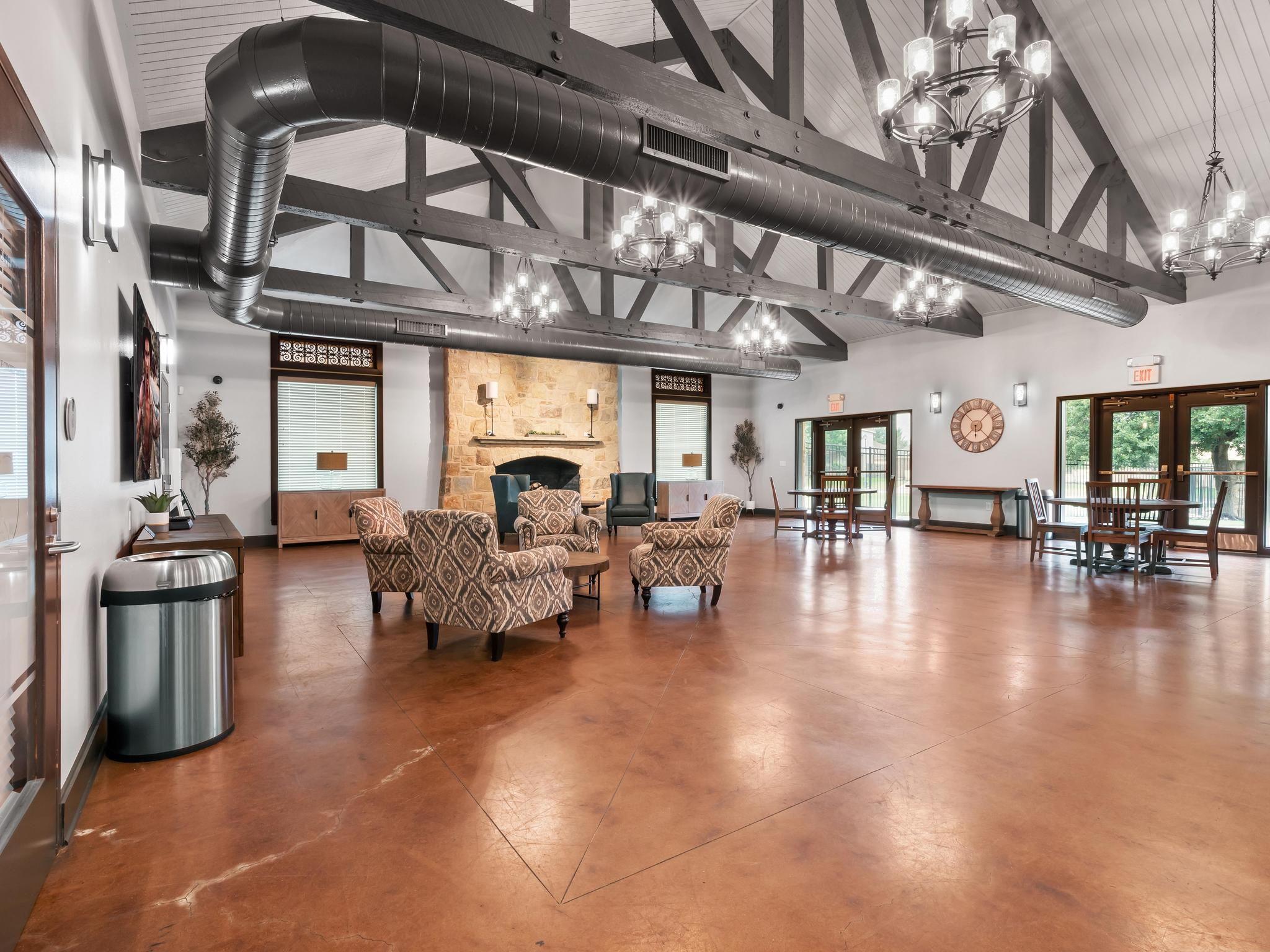
Clubhouse, pavilion & event reservations
Use the steps below to reserve a clubhouse or pavilion, or register for an eligible community event.
Review the terms
Read the event reservation terms for clubhouse, pavilion, and swimming reservations. They cover fees, deposits, cancellation details, and agreement language.
Open ETrak
Use ETrak to check availability, submit a reservation request, register for eligible community events, or manage an existing request.
Watch for confirmation
Your reservation is confirmed when you receive the order confirmation email. You can also confirm it in your ETrak portal under Active Registration or Orders.
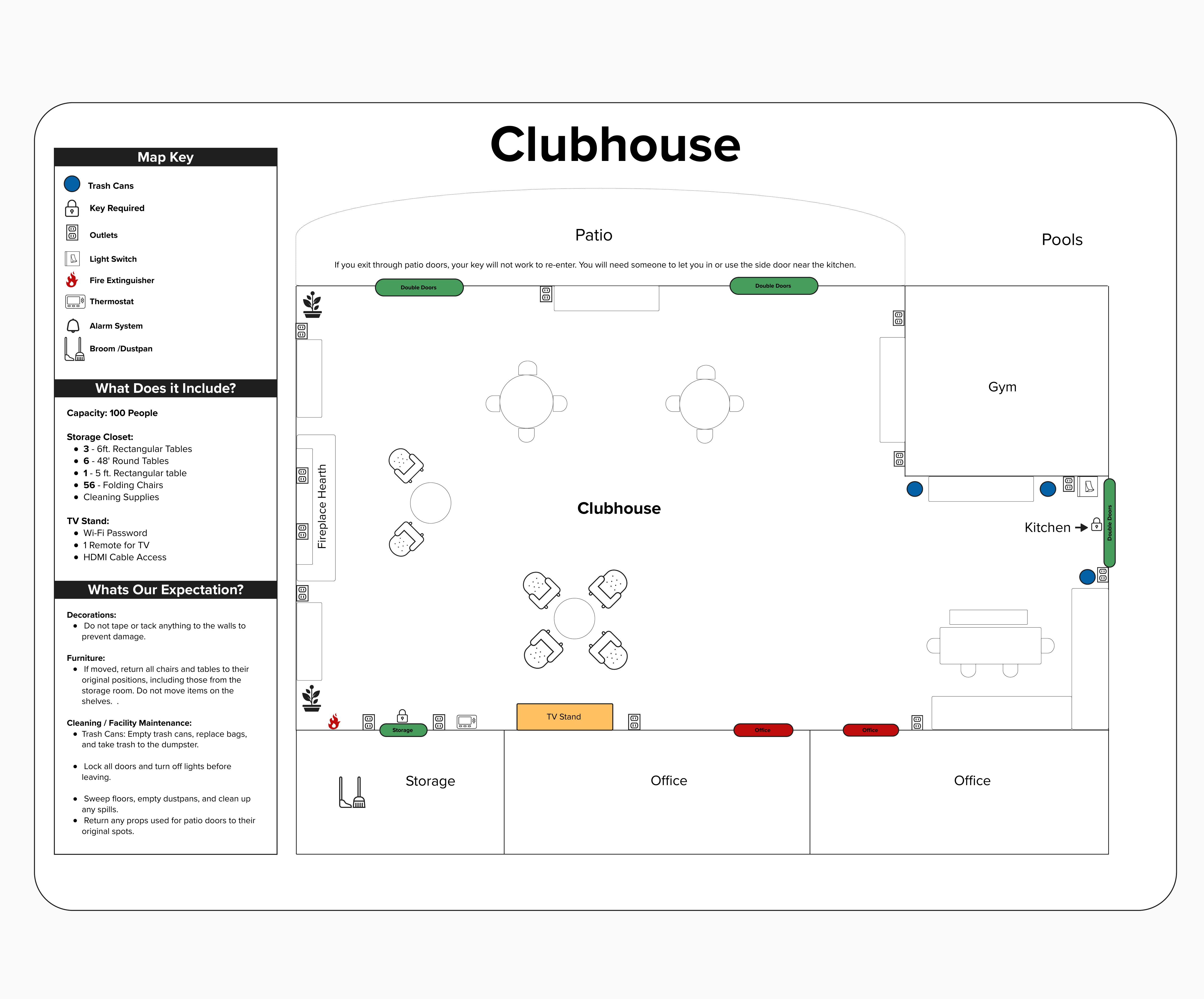
Using the Blackhawk Amenity Center?
Review the room layouts, access points, setup photos, and reset instructions before your walkthrough or reservation.
Common questions
Find answers about using ETrak, preparing for your reservation, and what to expect on the day of your event.
ETrak and Confirmation
What can I use ETrak for?
Use ETrak to request eligible amenity reservations, register for eligible community events, and manage existing requests. Amenity reservations are listed under Sessions, and community events are listed under Events.
How do I access ETrak for the first time?
Open ETrak and select Forgot Password. Enter an email address associated with your household. If you do not receive an email, try another household email address or contact the Blackhawk office.
When is my reservation confirmed?
Your reservation is confirmed when you receive the order confirmation email. You can also confirm it in your ETrak portal under Active Registration or Orders.
Where do I find fees, deposits, cancellation details, and agreement terms?
For clubhouse, pavilion, and swimming reservations, review the Reservation Terms. For tennis/pickleball, review the court rules and reservation details, including the two-day advance requirement and two-reservation weekly household limit. Court bookings have no booking fee.
Before Your Event
Can my guests use the parking lot?
Yes. Guests may use the Blackhawk Amenity Center parking lot during the confirmed reservation period. Parking remains shared, and spaces may not be blocked or reserved.
Can I use outside vendors or caterers?
Yes. Outside vendors and caterers may be onsite only during your confirmed reservation time. They must remove all equipment, chairs, trays, food, and other supplies before the reservation ends. The reserving homeowner remains responsible for the vendor and cleanup.
Can I decorate the clubhouse?
Yes, within the clubhouse rules. Do not use tape, staples, tacks, putty, or other adhesives on walls, wallpaper, air ducts, or furniture. Tape may be used only on the mantle or on window and door frames. The reserving homeowner is responsible for damage caused by decorations.
Are balloons/balloon arches permitted?
Yes. Please pop and properly dispose of all balloons before leaving the amenity space. Loose or inflated balloons can blow away and become litter, while large quantities of inflated balloons can quickly overfill the dumpster.
Can alcohol be served at my event?
No. Alcohol may not be served, sold, or consumed anywhere at the Blackhawk Amenity Center, including reserved areas.
How do I get into the reserved area?
Use the Amenity Center key provided after the required walkthrough. Pick up the key and complete the walkthrough by 3:00 PM on the Thursday of the week of your reservation unless staff schedules another time with you in advance. Return the key within three business days after the event. Review the Reservation Terms for applicable fee, cancellation, late-return, and lost-key requirements.
Can I have a game truck or food truck?
Yes. Game trucks and food trucks may be onsite only during your confirmed reservation time. The reserving resident is responsible for limiting service to invited guests. Staff will not monitor who uses the truck or reserve or block parking spaces for it.
Can I have a foam or bubble party?
Yes, but only on the grass field between the tennis courts and sand volleyball court. Foam and bubble parties are not permitted around the pool, pavilion, or clubhouse. The reserving resident must clean the area completely afterward.
Can I bring a bouncy house or inflatable playground?
No. Bouncy houses and other inflatable playgrounds are not permitted at the Blackhawk Amenity Center.
During and After Your Event
What should I do if there is an emergency or maintenance problem?
For an urgent maintenance problem during your reservation, use the emergency contact information provided during your walkthrough. For a non-urgent concern, take photos and email blackhawkmaintenance@goodwintx.com.
What are the noise expectations?
Noise, including music, must remain within the reserved area. The reserving homeowner is responsible for guest noise, including arrivals and departures. Reports of loud noise may result in forfeiture of the deposit and suspension of future reservation privileges. Outdoor activities must comply with applicable county noise requirements.
What if supplies are missing or the area is not clean when I arrive?
Take photos before changing or cleaning the affected area, then email the photos, reservation date, and location to blackhawkoffice@goodwintx.com as soon as possible.
Can I prop open the pavilion gate?
No. Do not prop open any Amenity Center gate or entry door. The reserving resident should use their active fob and open the gate or door for invited guests as needed.
Contact the Reservations Manager
For questions about amenity reservations, reservation details, or ETrak, contact the Reservations Manager.
Tennis & pickleball reservations
Book through ETrak at least two days in advance. There is no booking fee.
Daily, 7 a.m.–1 p.m., in two-hour increments.
Up to two reservations per household each week.
First come, first served during court hours: 7 a.m.–9 p.m.
Reserve in ETrak (opens in a new tab) · Court rules and reservation details · Pools & Sports
For volleyball or ball-field reservation help, contact the Blackhawk office.